If you’ve ever searched for the weekend gold price, you already know the problem. Gold’s official spot price is set by the LBMA benchmark, published twice daily at 10:30 AM and 3:00 PM London time, only on business days. The last data point each week is Friday’s PM fix, and the next one arrives Monday morning, creating a roughly 62-hour data blackout. CME Globex gold futures help extend coverage (Sunday 6:00 PM to Friday 5:00 PM CT), but still leave a roughly 25-hour weekend gap. CFD platforms may show “indicative” weekend quotes, but these are synthetic and do not reflect real market activity.
Tokenized commodities fill this gap. These are digital tokens representing ownership of physical commodities like gold and silver, and they trade on crypto exchanges 24/7/365. The tokenized gold market alone has grown from approximately $1.8 billion to over $5.9 billion over the past year, with trading volume reaching $178 billion in 2025. During geopolitical events that occur on weekends, when traditional markets are closed, tokens like PAXG and XAUT become the primary instruments for gold price discovery.
In this guide, we will show you how to track tokenized gold, silver, and other tokenized commodities in real time using two approaches. First, we will walk through a no-code Google Sheets setup using the CoinGecko for Google Sheets add-on. Then, we will build a Python-based tracker using the CoinGecko API. Both paths use a free Demo API key. Let’s dive in!

What Are Tokenized Commodities?
Tokenized commodities are digital tokens on a blockchain that represent ownership of physical commodities such as gold, silver, or oil. Each token is backed by an equivalent amount of the real commodity held in custody by the issuing institution, and this category is part of the broader Real World Assets (RWA) movement.
Two tokens dominate the tokenized gold space. PAX Gold (PAXG), issued by Paxos Trust Company, pegs each token to 1 troy ounce of London Good Delivery gold stored in Brink’s vaults. Tether Gold (XAUT), issued by TG Commodities, pegs each token to 1 troy ounce stored in Swiss vaults. Tokenized silver is a smaller but growing market, with tokens like SLVON and KAG. Keep in mind that weekend PAXG/XAUT prices can show a small premium or discount compared to Monday’s LBMA open due to lower weekend liquidity.
For a deeper dive into how tokenized gold works, including backing structures, redemption terms, and major issuers, read our full guide on what is tokenized gold.
Prerequisites
For Google Sheets Users (No Code)
-
A free Demo API key from CoinGecko
-
A Google account
-
The CoinGecko for Google Sheets add-on, available on the Google Workspace Marketplace
For Developers (Python)
-
A free Demo API key from CoinGecko
-
Python 3.10 or higher installed
-
The following Python packages
You can install all dependencies with a single command:
pip install -r requirements.txtHow to Track Tokenized Commodities in Google Sheets (No Code)
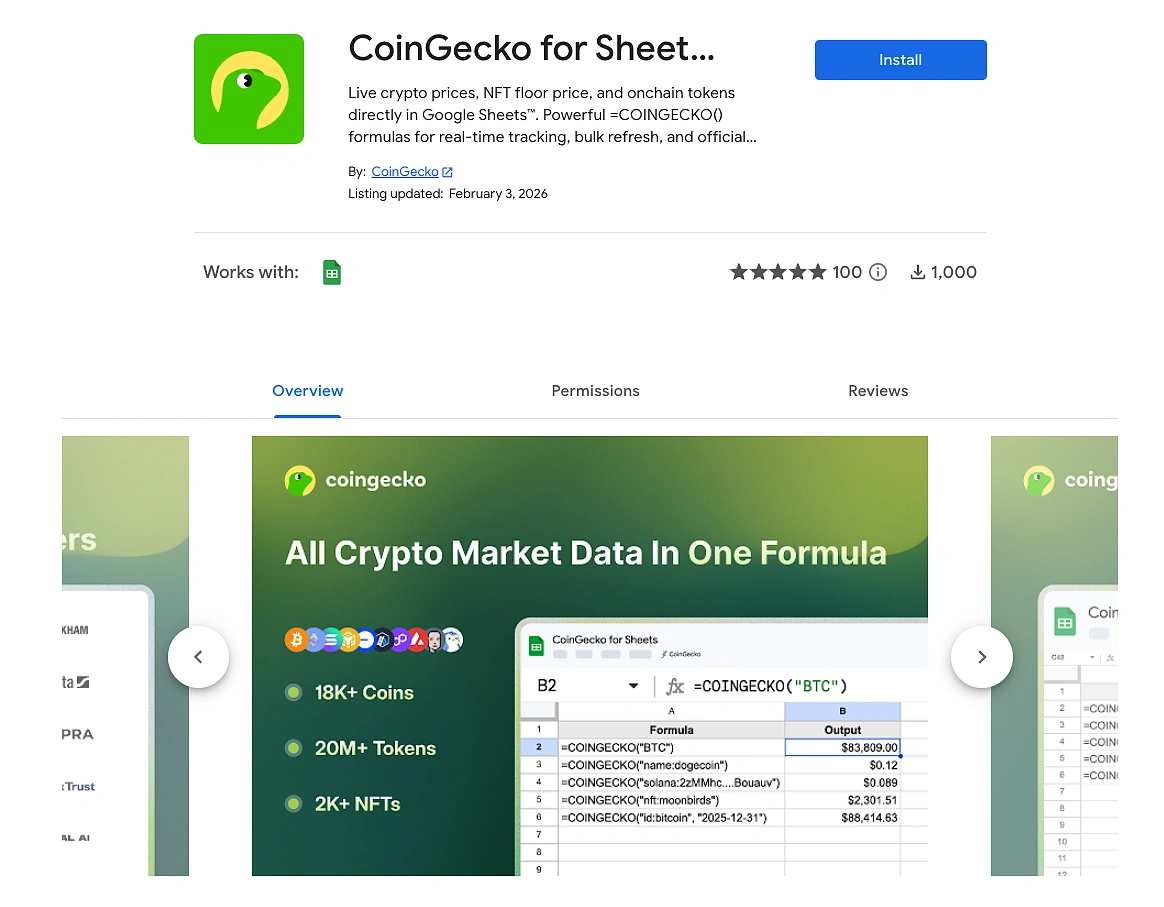
Start by installing the CoinGecko for Google Sheets add-on from the Google Workspace Marketplace. After installing, open any Google Sheet, go to Extensions > CoinGecko > Settings & API Key, enter your free Demo API key, select your plan, and click Save Settings. The full installation tutorial is available in the CoinGecko for Sheets documentation.
Live Tokenized Gold and Silver Prices with One Formula
Once the add-on is installed and configured, you can start pulling live tokenized commodity data using the =COINGECKO() formula. Here are the key formulas you will use:
Individual token prices:
=COINGECKO("id:pax-gold")
This returns the live PAXG price in USD.
=COINGECKO("id:tether-gold")
This returns the live XAUT price in USD.

Category tables (multiple tokens at once):
=COINGECKO("top:100:tokenized-commodities")
This single formula returns a complete table of the top 100 tokenized commodities tokens, including price, market cap, volume, and 24-hour change.
=COINGECKO("top:10:tokenized-gold")
This returns the top 10 tokenized gold tokens with the same data columns.
=COINGECKO("top:5:tokenized-silver")
This returns the top 5 tokenized silver tokens.

Historical Prices for Weekend Backtesting
Want to see what PAXG was trading at on a specific date? Use the historical price formula:
=COINGECKO("id:pax-gold", "2025-12-31")
This returns the price of PAXG at 00:00 UTC on December 31, 2025. To build a weekend price history, create a column of weekend dates in Column A, then use this formula pattern in Column B to fill in PAXG prices for each weekend date.

Now that we have a working no-code tracker in Google Sheets, let’s build the same capabilities programmatically. The following steps use Python and the CoinGecko API to discover, fetch, and visualize tokenized commodity data.
How to Discover Tokenized Commodity Tokens via the CoinGecko API
You can discover tokenized commodity tokens and their CoinGecko IDs using the /coins/categories/list endpoint to find category IDs, followed by /coins/markets to list all tokens within a category. Let’s walk through this process step by step.
The CoinGecko API provides a category system that makes discovery straightforward. This “category to ID” pattern is reusable for any category on CoinGecko.
Project Configuration
All scripts in this guide share a single configuration file. This setup lets you switch between the free Demo API and a paid API by changing one environment variable.
Notice how the config.py file dynamically sets the BASE_URL and API header key based on the USE_PRO_API flag. A free Demo user and a paid plan user can both run the same scripts without any code changes. Just update the .env file.

HTTP Client
All API calls go through a shared HTTP client with built-in retry logic for rate-limited or transient errors.
Discover Category IDs
The first API call uses the /coins/categories/list endpoint to retrieve all available category IDs on CoinGecko. We then filter for the ones related to tokenized commodities.
To filter for all tokenized-related categories, execute the following command:
python scripts/01_discover_categories.py --contains tokenizedYou will see output similar to this:

The three category IDs we care about are tokenized-gold, tokenized-silver, and tokenized-commodities. Note these down as we will use them in the next step.
List Tokens by Category
Now that we have the category IDs, we can use the /coins/markets endpoint to list all tokens within a category, sorted by market cap.
Let’s query the tokenized gold category first:
python scripts/02_list_markets.py --category tokenized-goldThe output will look something like this:

You can also run it for tokenized silver to discover tokens like SLVON and KAG:
python scripts/02_list_markets.py --category tokenized-silverHow to Fetch Real-Time Tokenized Gold and Silver Prices
You can fetch real-time tokenized gold and silver prices using the CoinGecko API’s /simple/price endpoint for lightweight polling, or the /coins/{id} endpoint for richer metadata. Now that we have our CoinGecko Coin IDs from the previous step, let’s put them to use.
Method #1: Simple Price (Lightweight)
The /simple/price endpoint is the simplest way to get current prices for one or more tokens. It is ideal for dashboards or monitoring scripts that poll frequently.
To fetch the latest prices for both PAXG and XAUT, execute the following command:
python scripts/03_simple_price.py --ids pax-gold,tether-goldThe JSON response will look like this:

Method #2: Full Coin Detail
For richer metadata about a specific token, use the /coins/{id} endpoint. This returns everything from current price and all-time high to contract addresses and platform information.
Let’s fetch the full detail for PAXG:
python scripts/04_coin_detail.py --coin-id pax-goldA useful exercise is to compare the price field from this response against the current LBMA spot gold price. If you see a small delta, that is expected because CoinGecko aggregates PAXG’s price across multiple exchanges for the most accurate representation of market prices. Thus, factors like exchange-specific liquidity spreads can create minor differences. To learn more about CoinGecko’s aggregation methodologies, read our methodology guide.
How to Build a Historical Price Chart for Tokenized Gold
You can build a historical price chart for tokenized gold using the CoinGecko API’s /coins/{id}/market_chart endpoint for line charts, or the /coins/{id}/ohlc endpoint for candlestick charts. Both accept a days parameter to control the time range.
This data is essential for analysis, backtesting, and visualizing how tokenized gold tracks spot gold over time. Let’s start with a line chart.
Line Chart with Market Chart Data
The /coins/{id}/market_chart endpoint returns time-series arrays of prices, market caps, and volumes.
Let’s generate a 30-day chart for PAXG:
python scripts/05_market_chart.py --coin-id pax-gold --days 30This generates both a CSV file with the raw time-series data and a PNG line chart saved to the output/charts/ directory.

Candlestick Chart with OHLC Data
For candlestick-style analysis, use the /coins/{id}/ohlc endpoint. This returns arrays of timestamp, open, high, low, close values.
The days parameter accepts 1, 7, 14, 30, 90, 180, 365, or max. The free Demo API supports up to 365 days. Candle granularity is automatic (for example, days=30 returns 4-hour candles).
To generate the candlestick chart, execute the following command:
python scripts/06_ohlc_chart.py --coin-id pax-gold --days 30This generates an interactive HTML candlestick chart you can open in any browser, along with a CSV export of the raw OHLC data.

Visualizing the Weekend Price Gap
One of the most compelling visualizations you can build with this data is a weekend gap view. This chart overlays PAXG’s full price line with highlighted weekend data points, making it visually clear that tokenized gold continues trading when traditional markets are closed.
Let’s generate the weekend overlay for the last 30 days:
python scripts/07_weekend_gap_view.py --coin-id pax-gold --days 30The resulting chart clearly shows the continuous PAXG price line with red dots marking every weekend data point. This is the visual proof that tokenized gold provides price discovery around the clock.

Usage (requires a paid API plan key with USE_PRO_API=true):
python scripts/08_ohlc_range_pro.py --coin-id pax-gold --from 2024-01-01 --to 2024-06-30 --interval dailyConclusion
The weekend gold price gap is a structural feature of traditional commodity markets. The LBMA publishes its benchmark only on business days, and even CME Globex futures have a 25-hour weekend closure. Tokenized commodities solve this by trading 24/7/365 on crypto exchanges, making tokens like PAXG and XAUT the primary instruments for weekend gold price discovery.
In this guide, we explored how to track tokenized gold, silver, and other tokenized commodities around the clock using both Google Sheets and Python. From pulling live PAXG prices with a single =COINGECKO() formula, to building weekend gap visualizations with the CoinGecko API, you now have the tools to fill the 62-hour data gap that traditional gold markets leave every weekend.
For production workflows requiring full historical depth going back to 2013, higher rate limits, or access to exclusive endpoints for custom-range OHLC queries, consider subscribing to a paid API plan.