

RustRover 2026.2 adds endpoint discovery and route–handler navigation for axum-based projects, brings support for Ferrocene, a qualified Rust toolchain, and improves your everyday experience with macros, imports, struct creation, module paths, benchmarks, .env files, and split mode.
Key Higlights
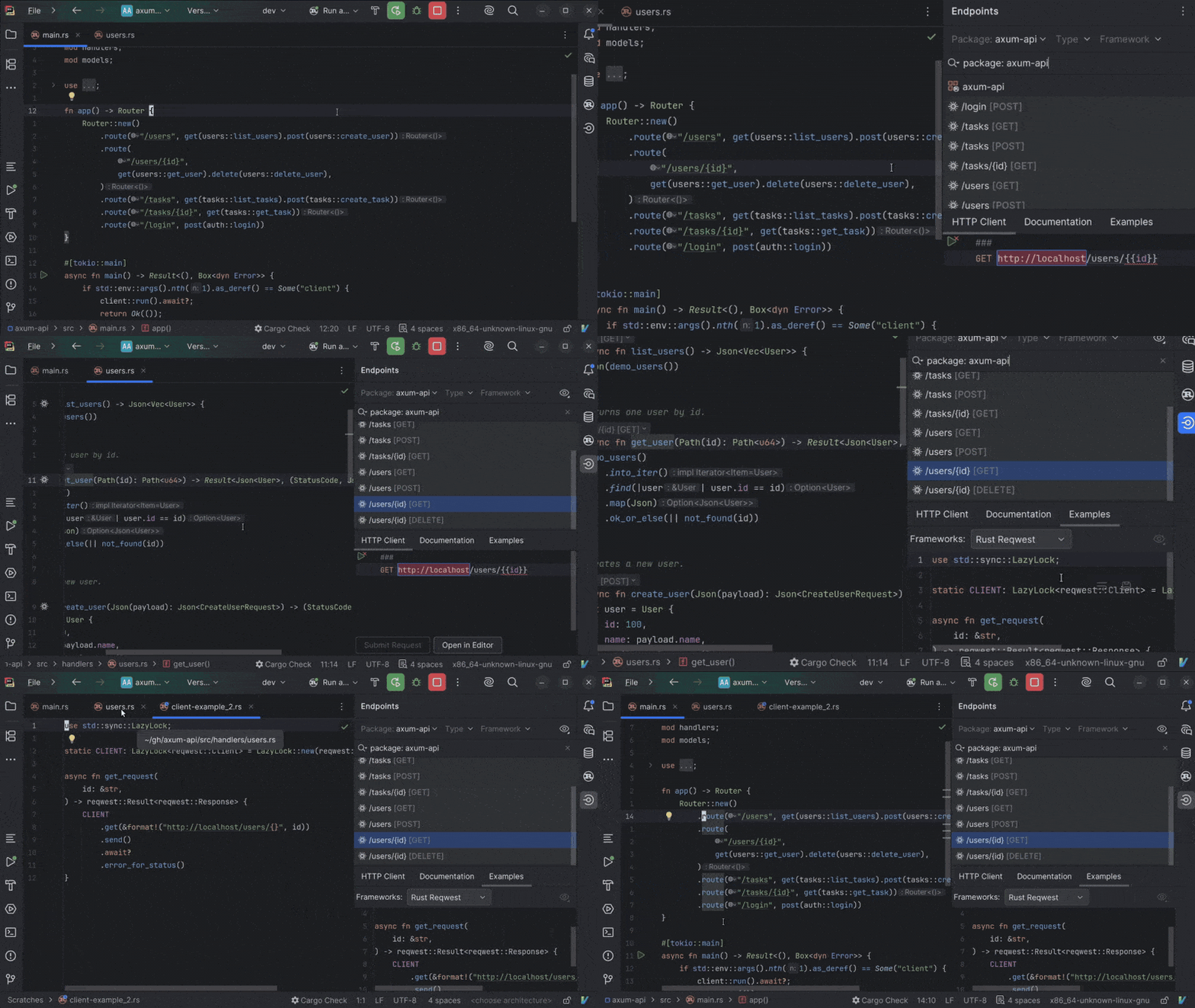
Faster navigation for axum and reqwest
In axum projects, route strings are the entry points to your service, but tracing them back to handlers or related client calls often still requires manually searching through the code.
RustRover 2026.2 introduces support for the axum and reqwest libraries. The IDE now understands routes in your project, enabling URL resolution, endpoint discovery, and navigation between routes and handlers. Route calls include references and inlay hints that make endpoint relationships easier to understand at a glance.
This release also adds reqwest generation and navigation, helping you create client calls with less manual setup.
Code insight for Ferrocene toolchains
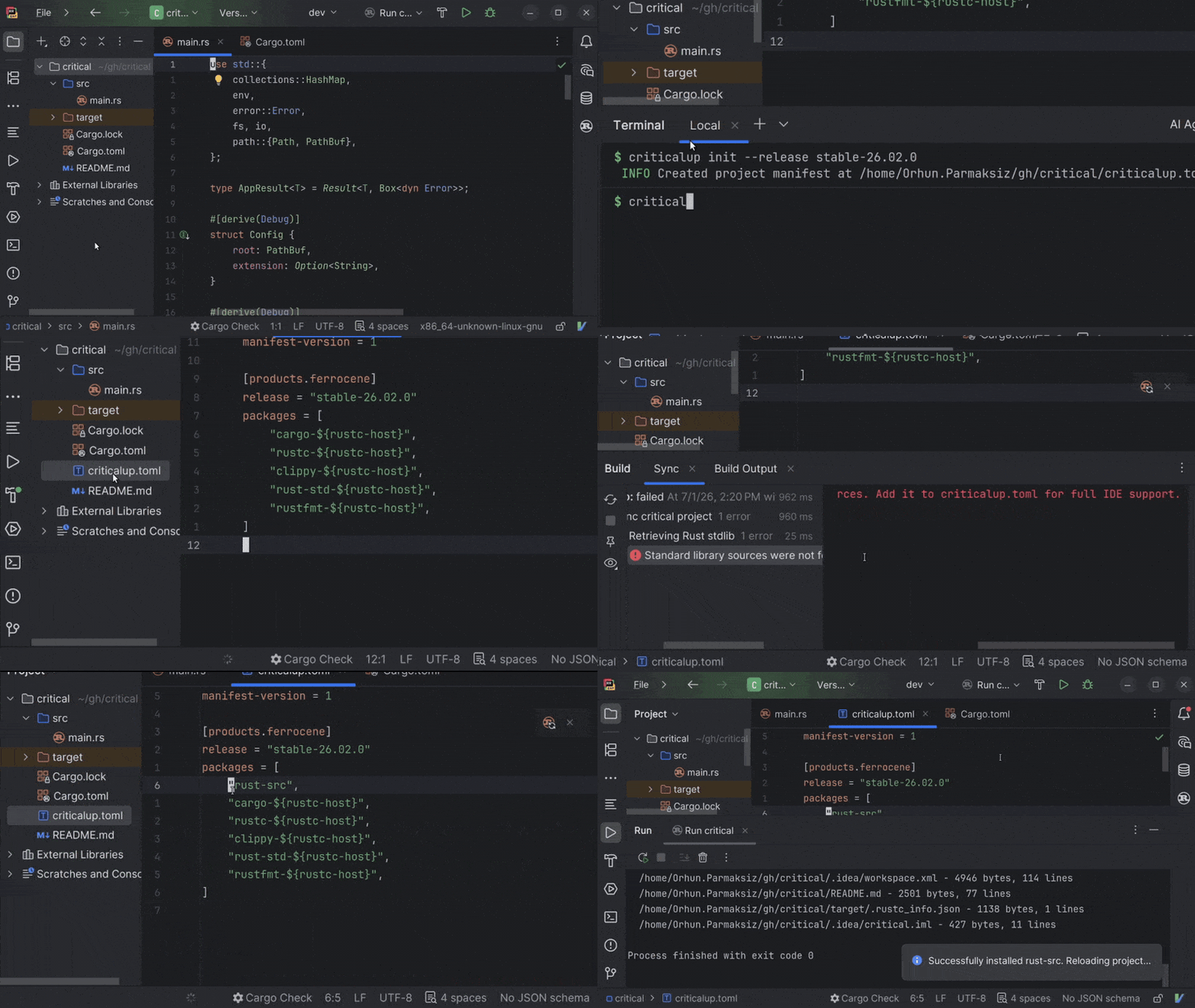
Developers using Ferrocene can now benefit from RustRover’s code insight features, including completion, navigation, inspections, and code analysis.
RustRover now supports a Ferrocene toolchain managed by criticalup and linked to rustup. The IDE also provides setup guidance and clearer error messages to help you configure the toolchain correctly and resolve issues.
Interactive declarative macro tester
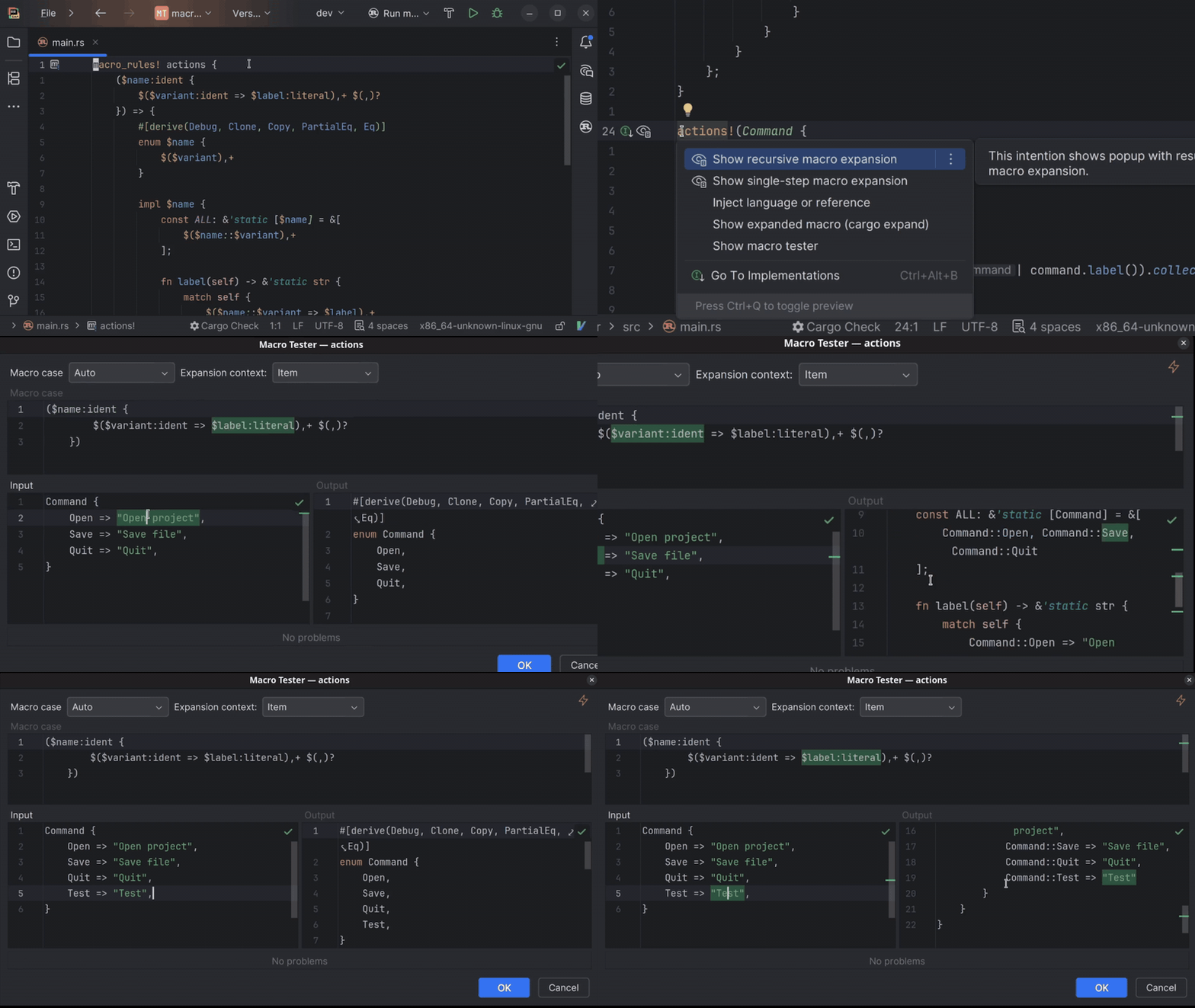
Declarative macros are among Rust’s most powerful tools, but their syntax is different from that of regular Rust. When the output is not what you expected, it can be hard to see how the input matches the macro definition and what code the macro produced.
The new interactive declarative macro tester shows you the code your macro input expands into, as well as how the input and output correspond, directly in the IDE. Provide macro input, inspect the expanded output, and see how the input is transformed. This makes matching errors easier to understand when developing macro_rules! macros.
Productivity improvements
Criterion benchmark run configurations
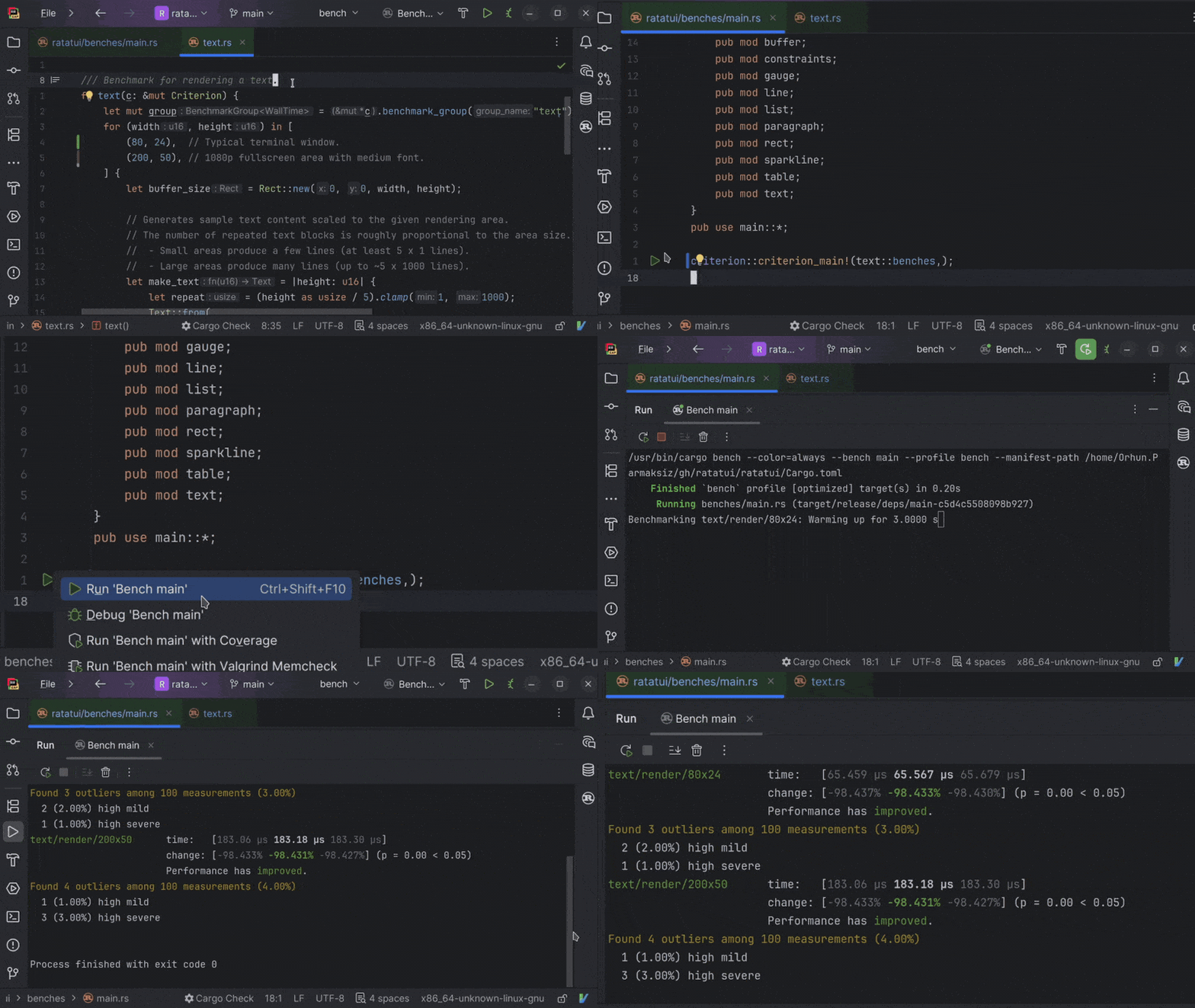
Benchmarking is easier when you stay close to the code you are measuring. That’s exactly why we’ve made it possible to run Criterion benchmarks from the IDE. You can now create run configurations for Criterion benchmarks, launch them from the gutter icon next to criterion_main!(), and view the results in the Run tool window.
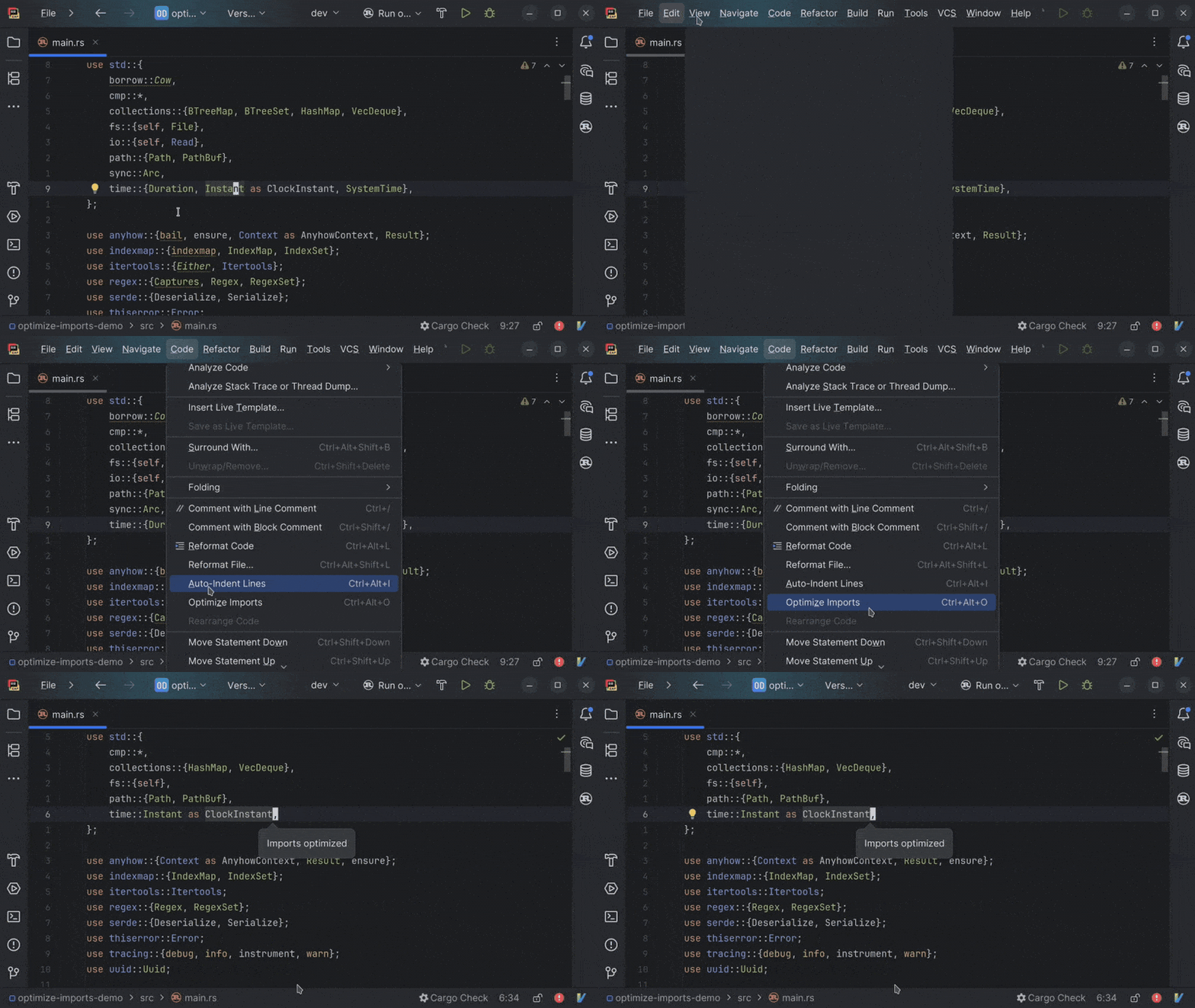
Smarter import cleanup for Rust code
Import cleanup should remove noise without making you worry that something important might disappear. In Rust code with macros, external linter results, or large files, however, unused imports can be harder to clean up reliably.
In this version, import cleanup delivers fewer false positives. Additionally, we’ve added support for imports reported by external linters and optimized how cleanup works inside macro calls. The Optimize Imports action is also faster and more conservative in larger files, removing only imports that are marked as unused.
Local variable completion for struct literals
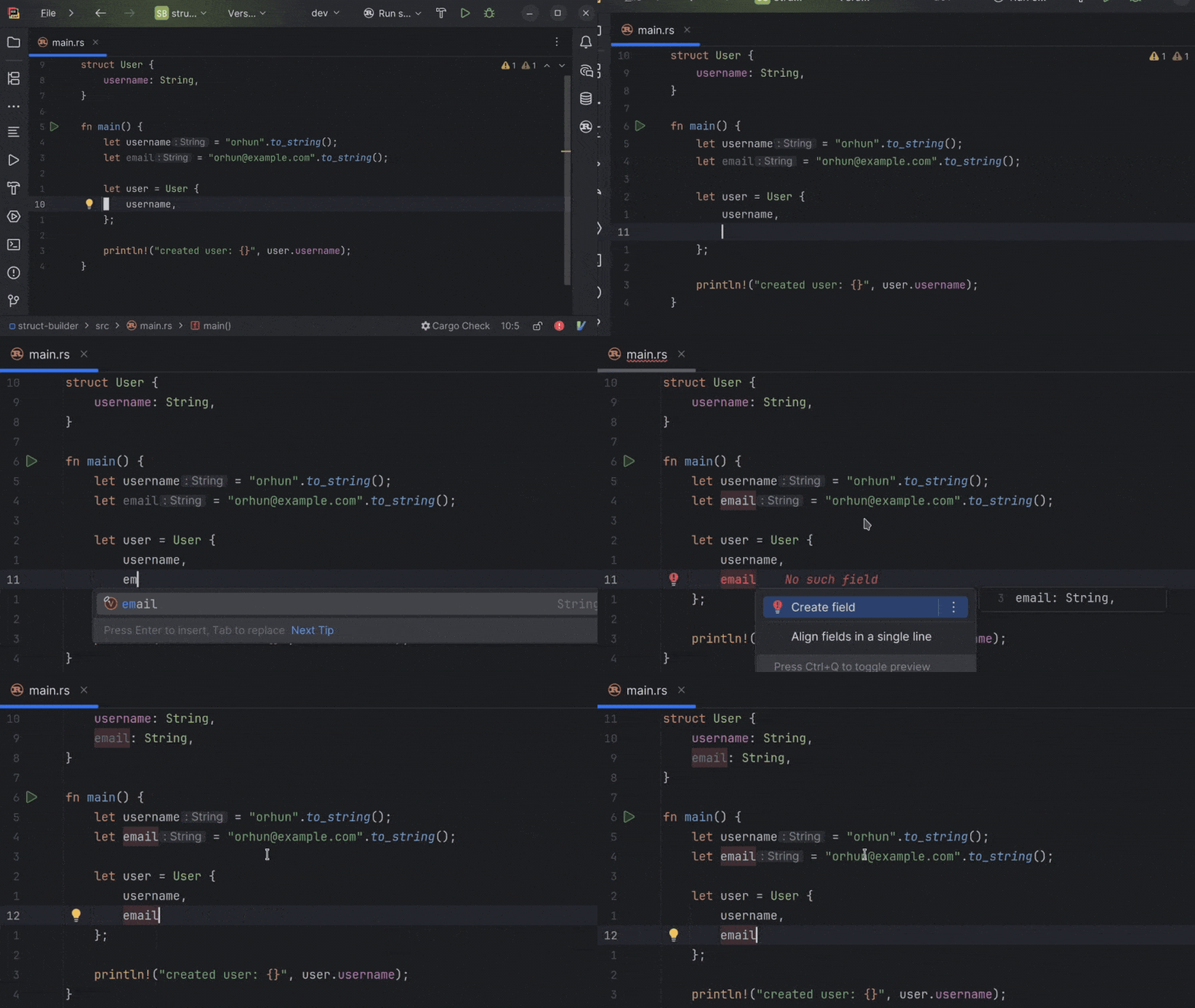
When building a struct from values already available in scope, you often have to retype local variable names or fix missing fields manually.
RustRover now suggests local variables inside struct literals when the Create field quick-fix can be applied. You can insert a value that’s already in scope and then create the matching field, making it faster to build up struct literals as you code.
Improved editor experience in split mode
In split mode, the IDE frontend and backend run separately, which can make everyday editor interactions feel less smooth in some remote development setups.
Editing in split mode now feels smoother, and the improvements are especially pronounced when you’re typing or making regular code changes. This makes remote workflows feel closer to the experience of working in the standard local IDE, particularly when the backend runs on another machine or in a company-managed environment.
.env file support for Rust
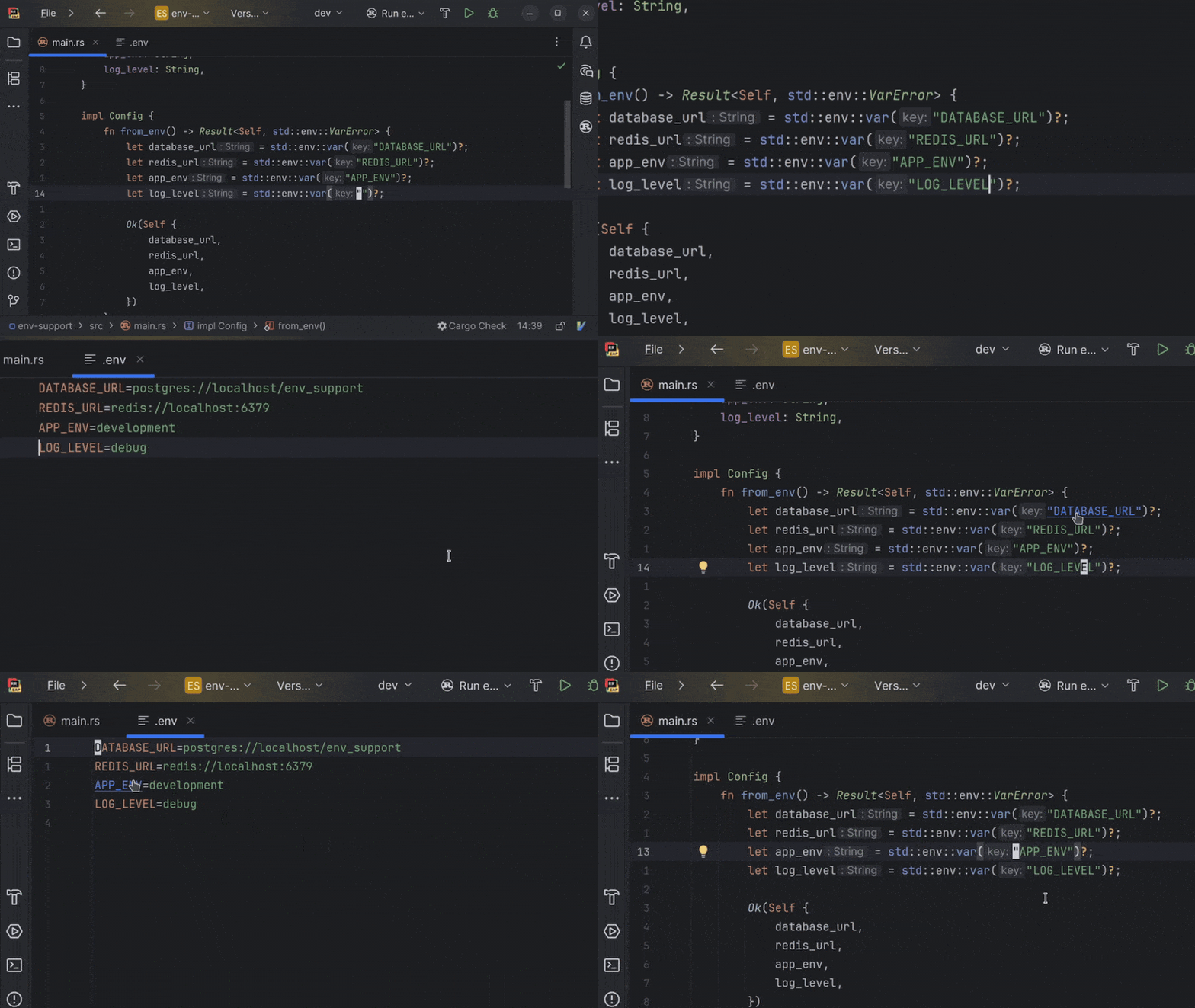
Environment variables are easy to mistype and hard to track when your Rust code and .env files are disconnected.
This release adds support for .env files. You can complete available environment variables when writing runtime env calls, jump from Rust code to a related variable declaration, find usages from the .env file, and rename keys across both code and the configuration.
Ability to copy fully qualified Rust paths faster
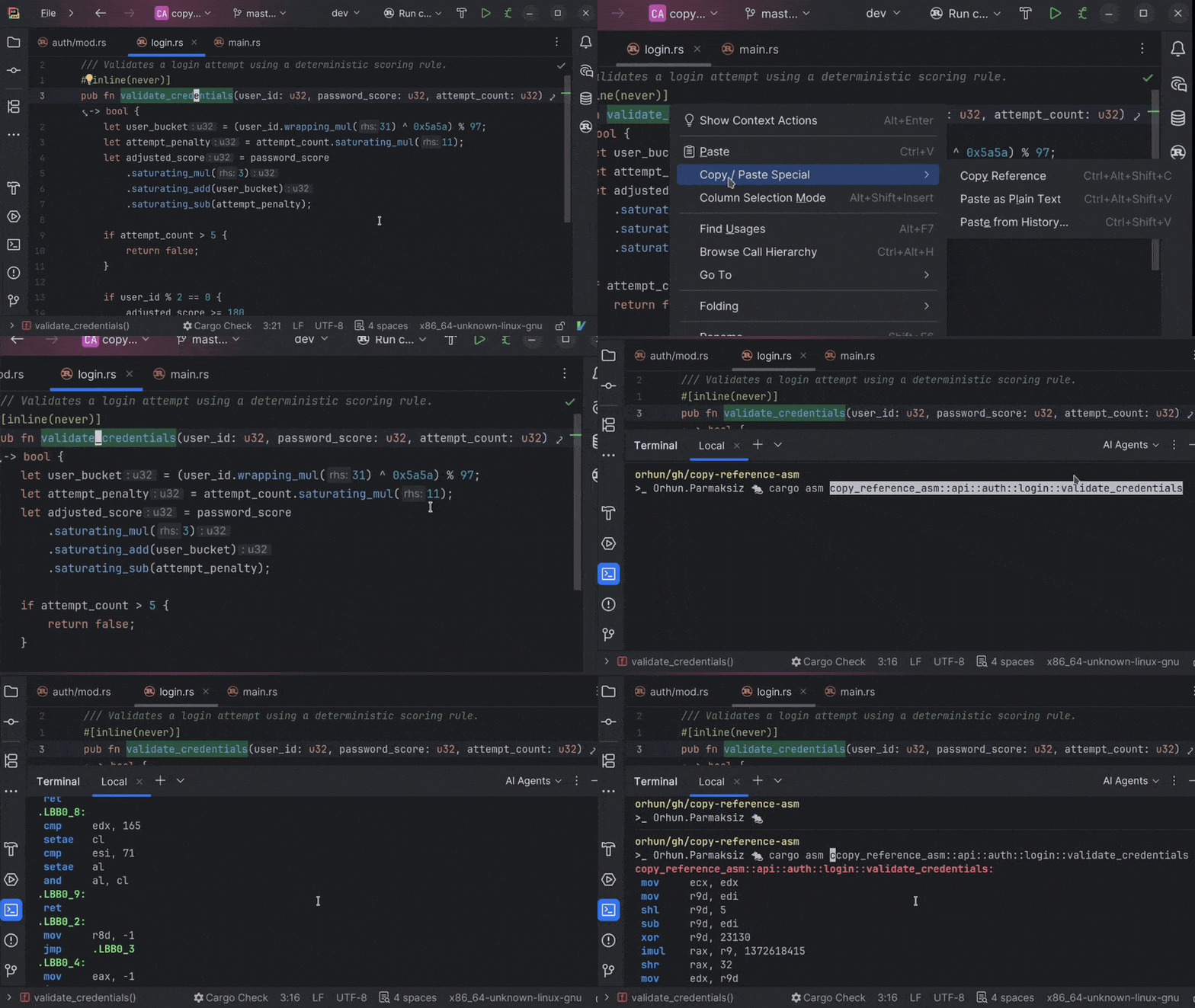
Some Rust workflows require an a::-delimited path to a function, method, or item, for example, when you’re working with tools like cargo asm, selecting targets, or adding rustdoc links. Rebuilding that path manually can break your flow.
RustRover 2026.2 makes the Copy Reference action smarter for Rust. In supported contexts, you can copy the fully qualified module path for the item under the cursor with one shortcut, eliminating the need to manually piece the path together.
AI updates
Agent skills manager
AI agents are only as useful as the context they have. When they don’t have knowledge of your frameworks, conventions, and tooling, you end up re-explaining the same setup in every new chat window.
Agent skills fix that. Install them once in RustRover and your agents carry that domain knowledge across every project and session – automatically. Browse and manage skills directly from the IDE, expand the built-in library with external registries like public GitHub repositories, or let RustRover import skills you’ve already set up for Claude Code or Codex.
Learn more in our blog post.
Support for third-party providers in AI completion
AI сompletion is an in-editor code suggestion experience that combines inline completion and next edit suggestions that go beyond the cursor. Available to all JetBrains AI users out of the box, it’s powered by JetBrains-trained models and doesn’t use up your AI credits.
With the latest update, you can now connect your own OpenAI-compatible model providers for AI completion.
GitHub Copilot built into RustRover
As the result of a direct partnership between JetBrains and Microsoft, GitHub Copilot is now a natively integrated agent in JetBrains IDEs. Unlike in the previous ACP Registry setup, Copilot is available out of the box and provides a more cohesive experience.
You can access Copilot directly from the agent picker in the AI chat. Authentication is handled through OAuth with your GitHub account, and an active GitHub Copilot subscription is required.