
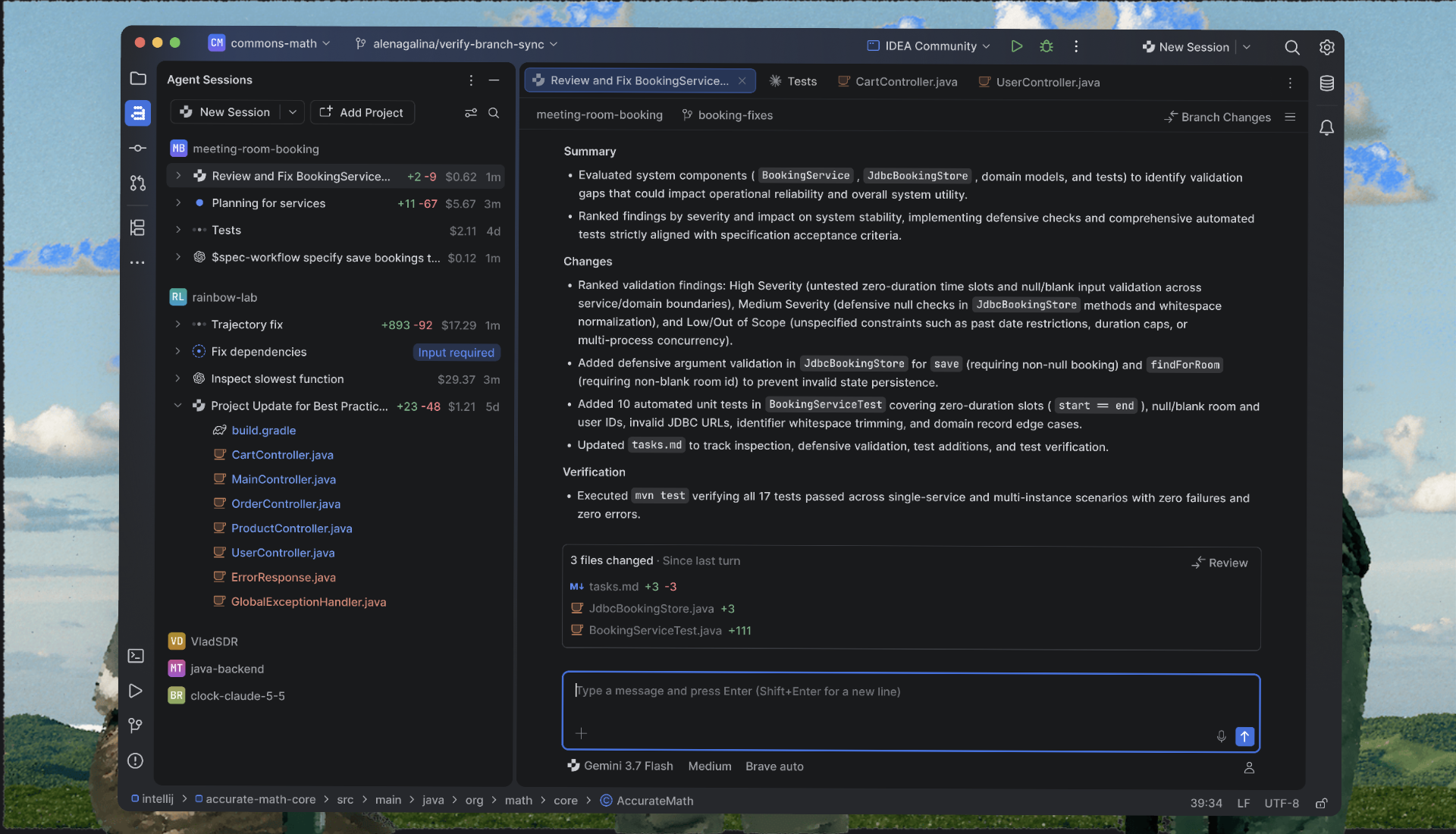
Fixing a bug starts with understanding what your code is doing at runtime: reading the program state, following the call stack, or tracking down a slow function. RustRover 2026.3 makes that work easier to follow, whether you do it yourself or with an AI agent. It also ships with JetBrains Air, a new layer for running coding agents and reviewing their work in the IDE.
Here’s a quick look at the highlights. For full details, settings, and screenshots, see What’s New in RustRover 2026.3.
Run and review your agents’ work in JetBrains Air
JetBrains Air works with the agents you already use, including Claude Agent, Codex, Gemini, GitHub Copilot, Junie, OpenCode, and other ACP-compatible agents. Your existing subscriptions and API keys carry over, with no JetBrains AI subscription required. Junie Lite gives you a free agent with just a JetBrains Account, and Junie can also work with models running locally through Ollama or LM Studio. When an agent makes changes, you can review them with the surrounding code in view and anchor notes to specific lines in the diff, so the agent knows exactly what to fix.
Read debugger views at a glance
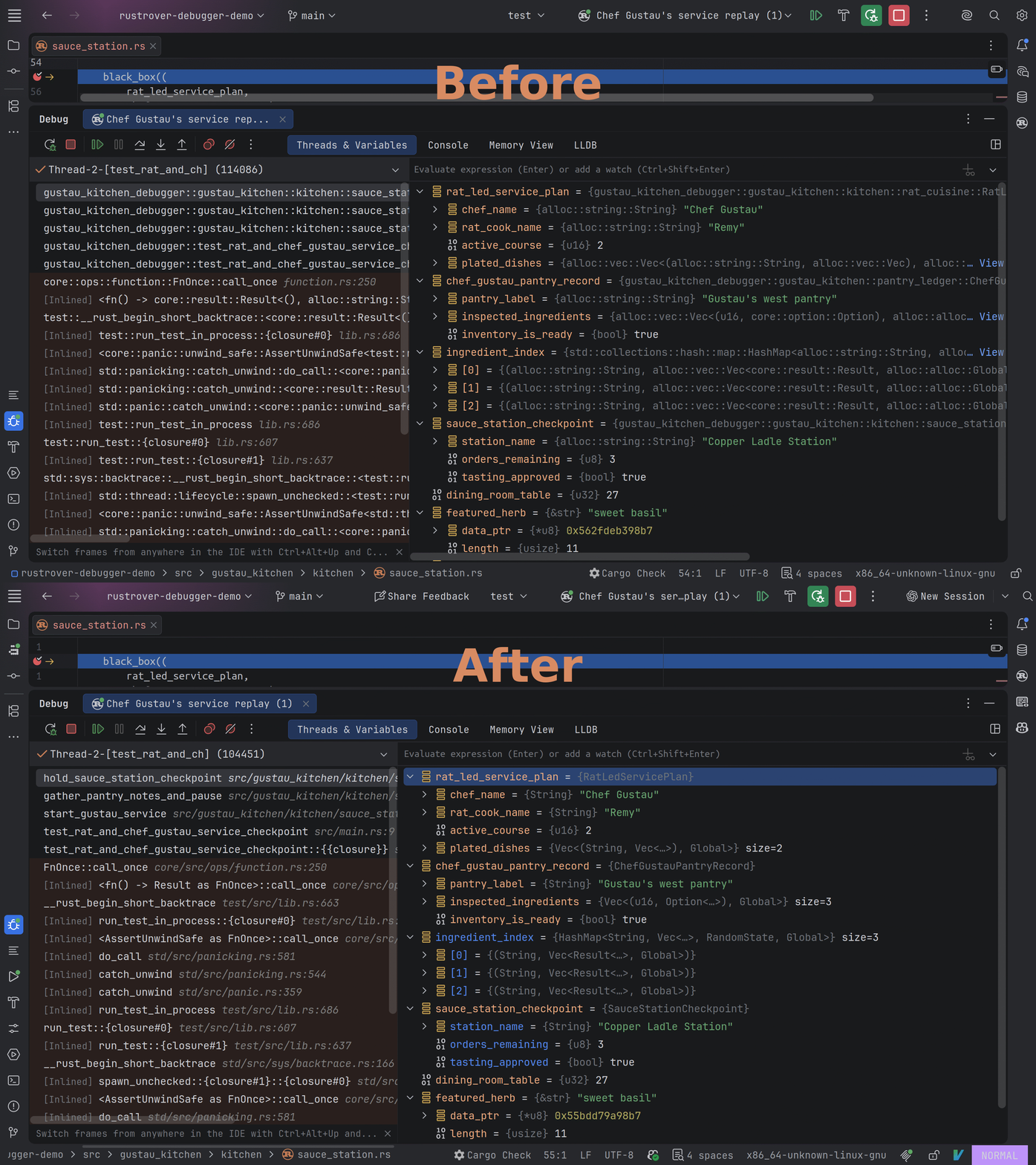
Long, fully qualified Rust names can crowd the debugger. RustRover now shortens type names in the Variables and Watches views and symbol names in the Frames view, so the program state and the call stack are easier to scan. Shortening is on by default, and you can turn it off in the settings.
Go from profiler results to the code behind them
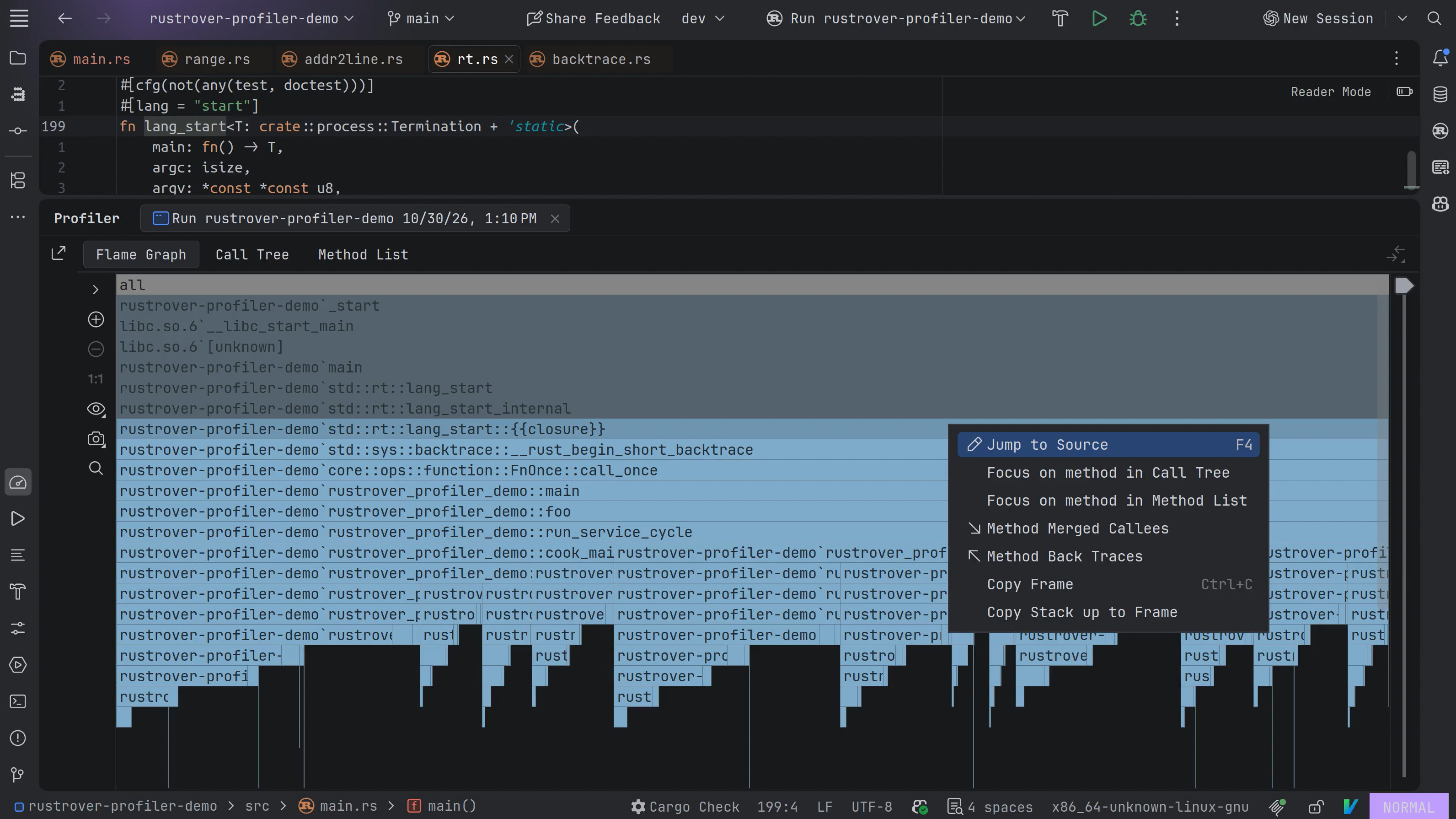
When profiler results point you to a hot spot, Jump to Source now opens the Rust function behind it instead of reporting Declaration not found. Function names in the results are readable instead of mangled. Both improvements work with perf on Linux and DTrace on macOS.
Let agents use the debugger
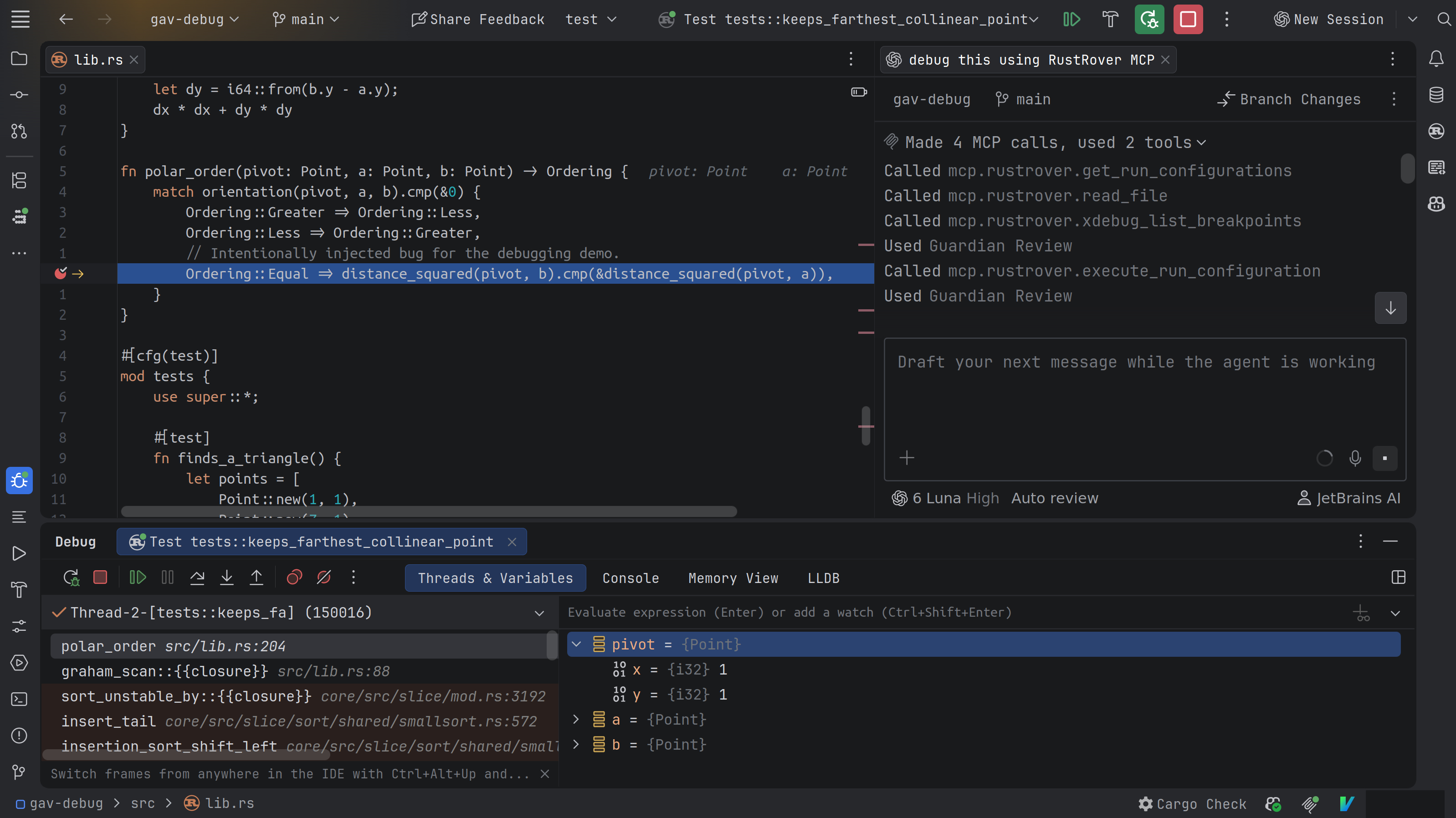
RustRover now provides a debugger MCP server and a rustrover-debugger skill that teaches agents how to use it. Instead of stepping through the code yourself, you describe the problem in natural language and let the agent collect the runtime evidence: set breakpoints, step through code, inspect variables, and evaluate expressions. This helps you find issues that are hard to spot from the source code and logs alone, such as a value that’s wrong only at runtime. The agent drives the regular RustRover debugger, so you can follow the session and take over at any point.
To get started, enable the MCP server, then enable and install the rustrover-debugger skill for RustRover or your agent of choice. You’ll find the corresponding settings in Settings | AI.
Work on remote machines without leaving RustRover
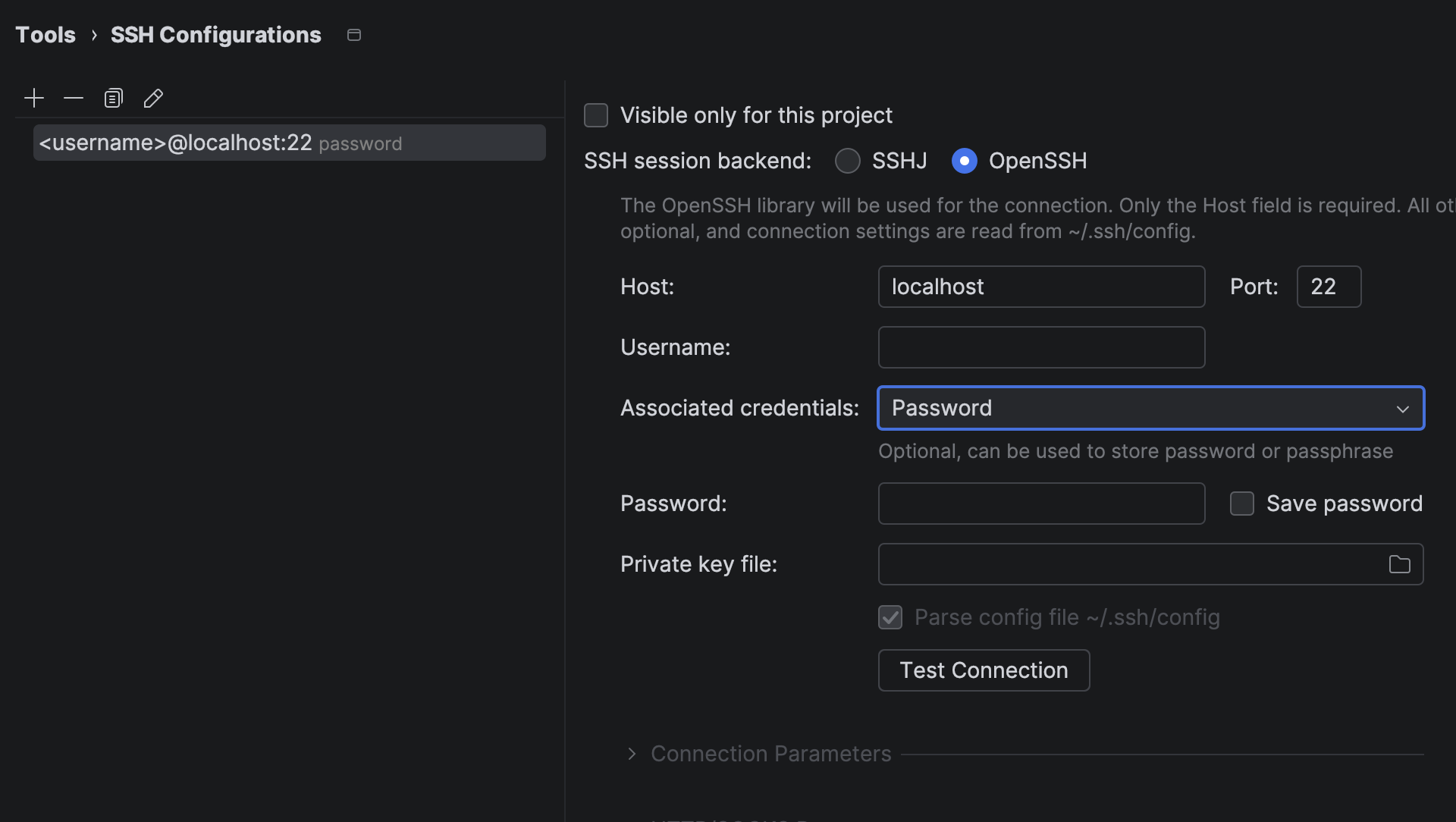
You can now work on projects hosted on a remote machine directly from RustRover. Connect to a host over SSH, start a development session, and reconnect to it later, all from the IDE. RustRover now uses native OpenSSH, so it works with the authentication methods your team already relies on, including certificate-based authentication, hardware security tokens such as YubiKey, and ProxyJump.
Help us fix what interrupts your work
RustRover 2026.3 automatically sends error and UI freeze reports to JetBrains, so we can prioritize fixes based on their real impact. Reports contain only technical data, and personal details such as file paths, URLs, and usernames are removed before they leave your machine. You can turn automatic reporting off in the settings. For more details, see the FAQ.
More in this release
RustRover 2026.3 also brings these IntelliJ Platform updates:
- Sound cues: RustRover can now play sounds when builds, tests, and other background tasks finish, and screen reader users get audio cues for editor line marks. Learn more from this blog post.
- Git worktrees: new worktrees now get a copy of your local project configuration.
- Plugins page: installed and Marketplace plugins now appear in a single view.
- Terminal: the terminal now uses the Ghostty emulator by default for better compatibility with modern CLI tools and terminal-based agents, and you can open terminal tabs in the editor, right next to your code. Learn more from this blog post.
The full list of changes is on the What’s New page.
Try RustRover 2026.3
Update to RustRover 2026.3 or download it from our website, and let us know what you think. Share your feedback in the comments below or in our issue tracker.