Overview
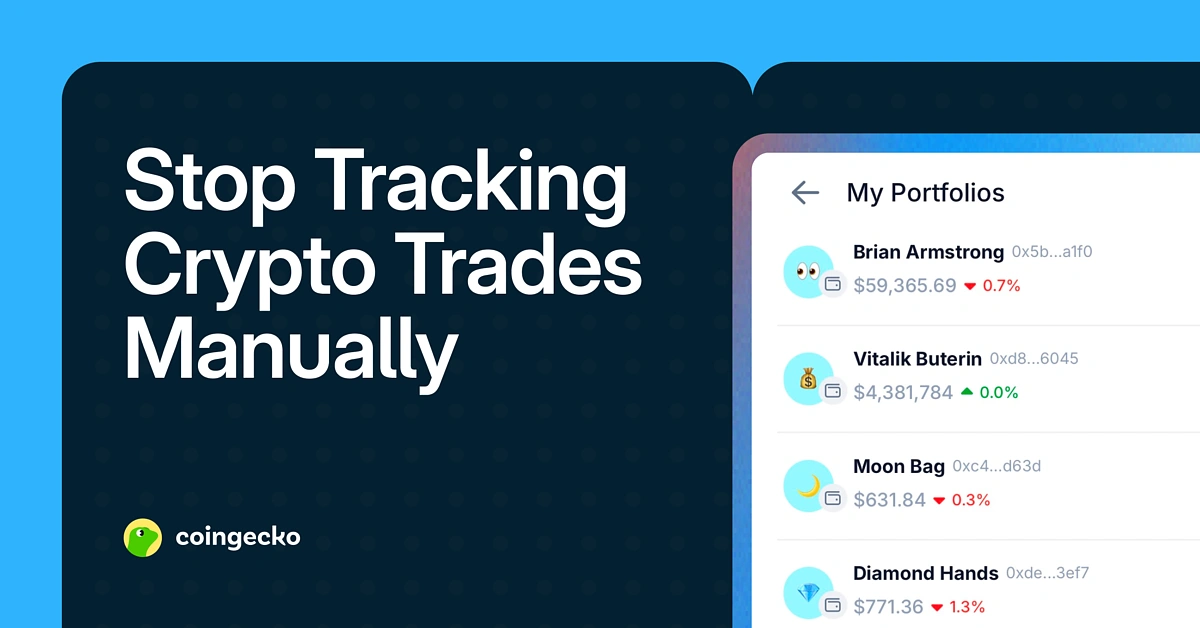
Managing too many crypto wallets? Here’s how to track them all.
If you have been tracking your crypto wallet activity manually, you are not alone. Many users still rely on spreadsheets, screenshots, or trade logs just to understand what they hold and how their portfolio is performing.
This becomes even harder when assets are spread across multiple wallet addresses. You might have one wallet for trading, another for DeFi, and a separate one for long-term holdings. Keeping track of everything across different apps and chains can quickly get overwhelming.
That is why we built CoinGecko Wallet Tracking, a feature that helps you track multiple crypto wallets in a single dashboard.
Introducing CoinGecko Wallet Tracking
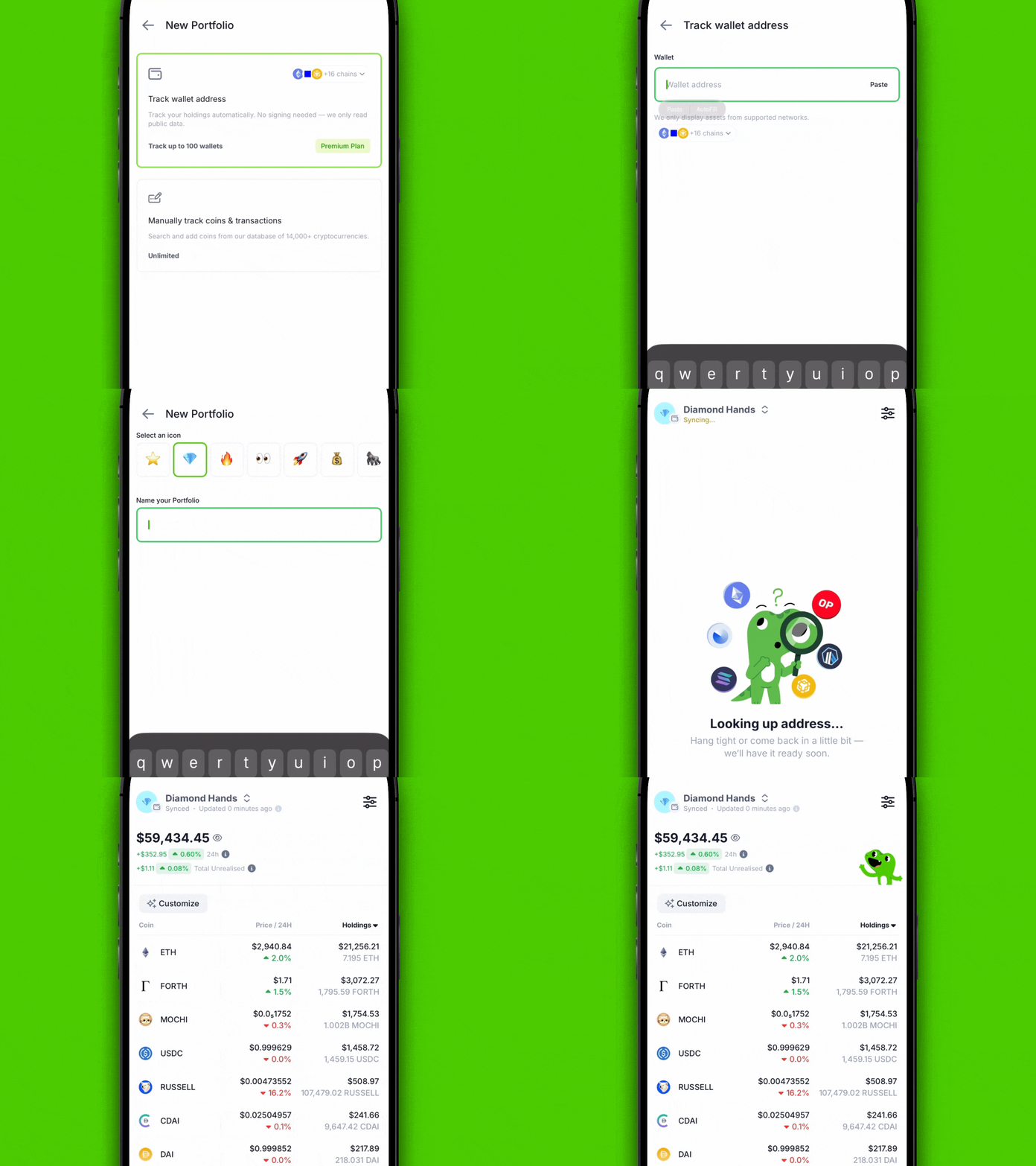
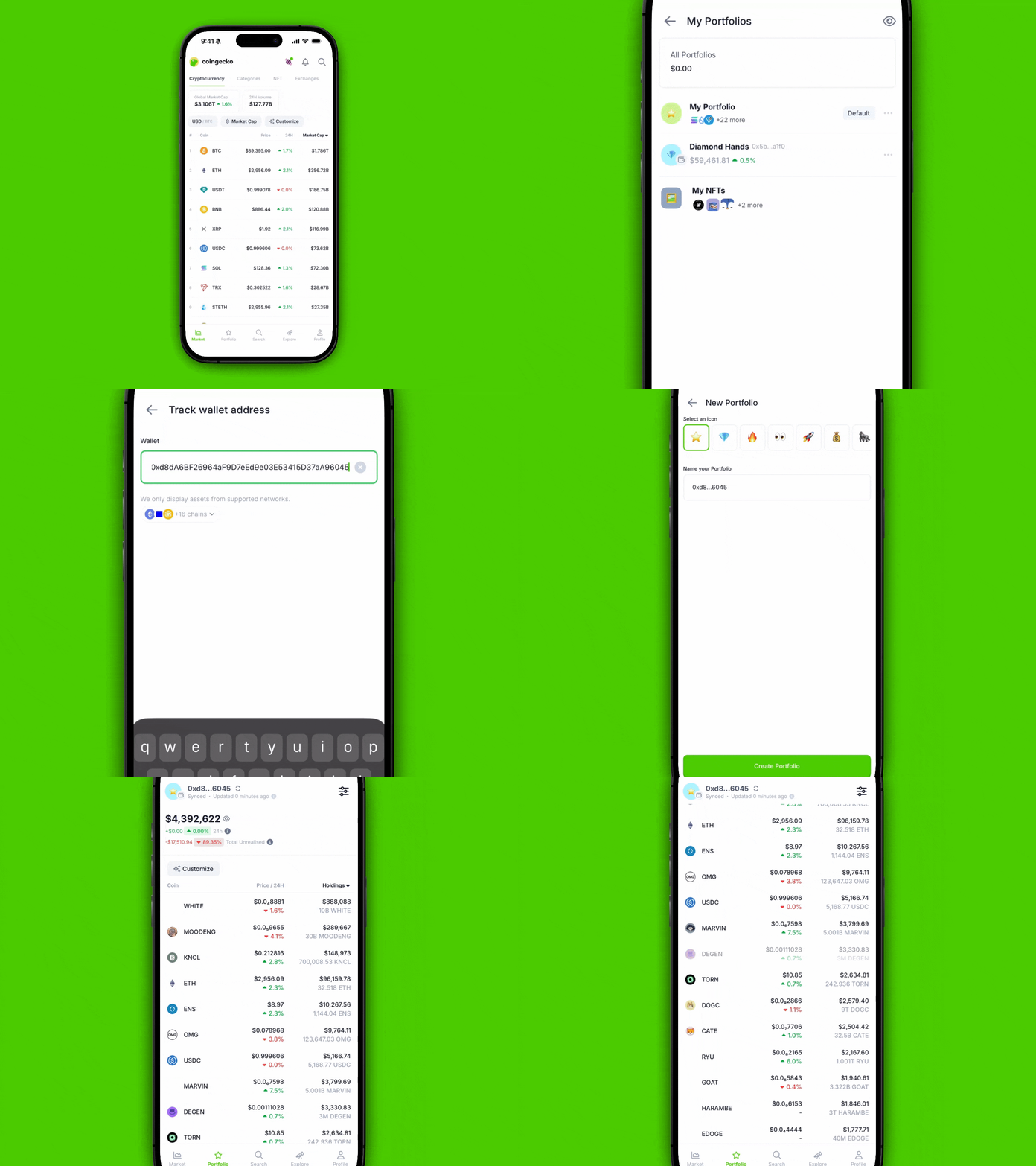
CoinGecko Wallet Tracking allows you to paste a public wallet address and instantly view the wallet’s:
-
Holdings (what tokens the wallet owns)
-
Portfolio value (how much it is worth now)
-
Portfolio performance (P&L and average buy price for supported tokens)
Instead of manually updating spreadsheets or relying on screenshots, you can now monitor wallets using one consolidated portfolio view.
No wallet connection or signing needed
It is read-only and non-custodial. This means CoinGecko does not ask for wallet permissions, approvals, or signatures.
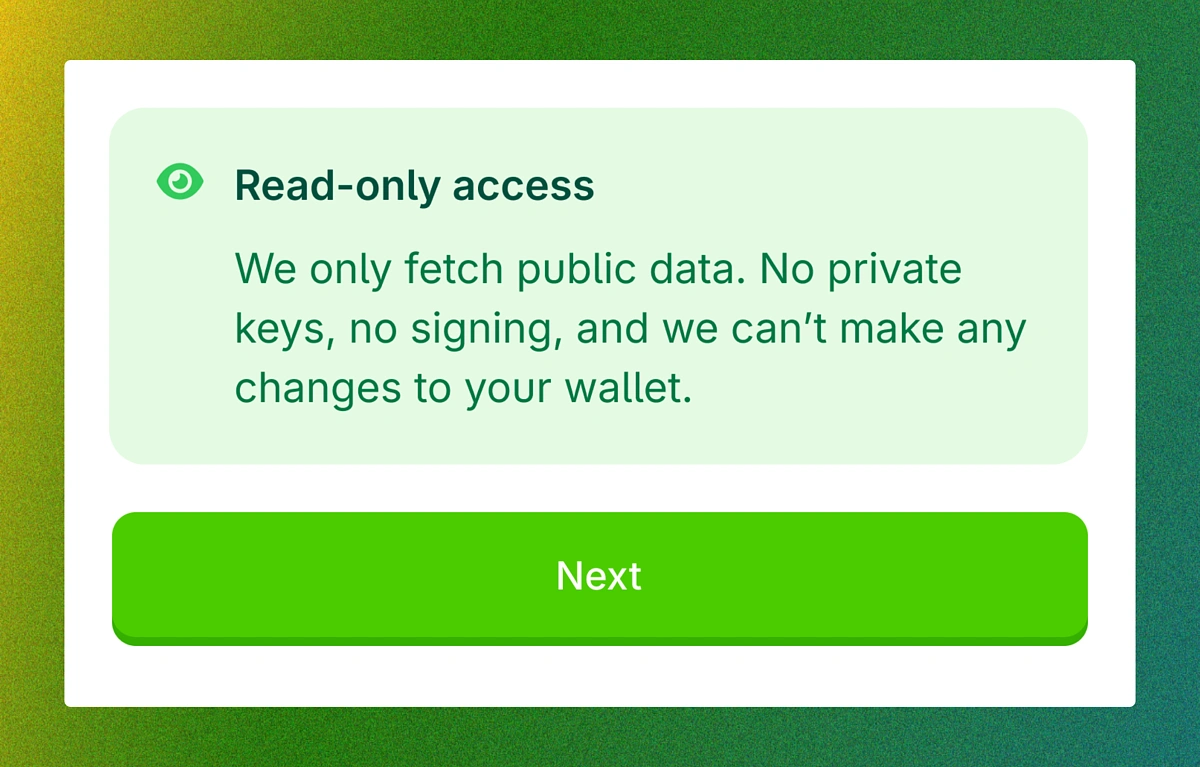
You do not need to connect your wallet at all. You simply paste a public wallet address, and CoinGecko generates a portfolio view based on publicly available on-chain data.
Because it is read-only, your assets remain 100% under your control at all times.
How to set it up (takes under 1 minute)
Getting started is simple and takes less than a minute.
-
Open CoinGecko on Web or Mobile App
-
Go to the Portfolio page
-
Select “Create New Portfolio” on App or “+ New Portfolio” on Web
-
Choose “Track Wallet Address”
-
Paste your wallet address
Use Cases: How people use Wallet Tracking
Most users do not rely on just one wallet address. Here are a few practical ways it can fit into everyday portfolio tracking:
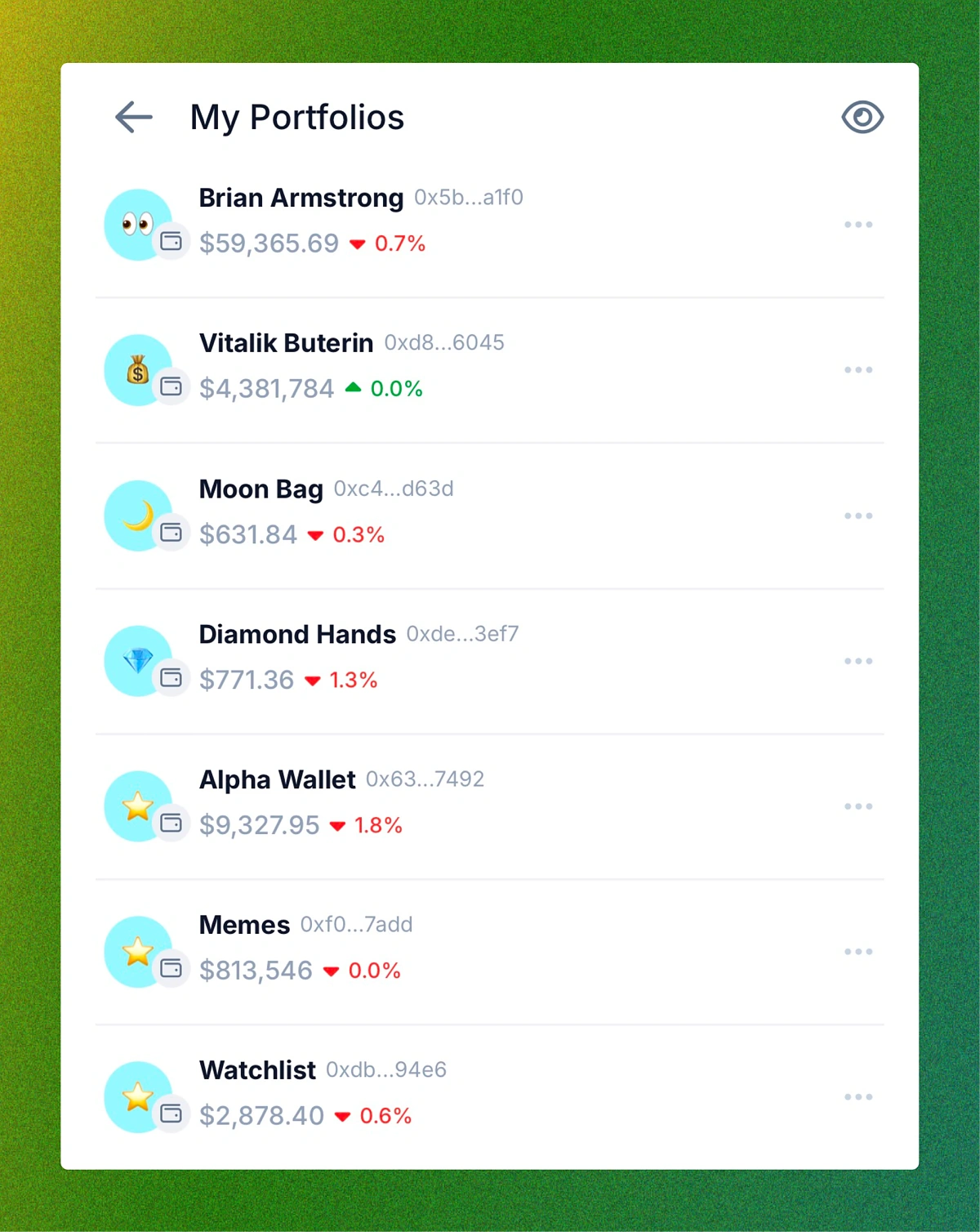
Tracking multiple wallets in one dashboard
Users often hold assets across multiple addresses. This makes it easier to manage everything in one place without switching between wallets.
Monitoring whale or smart money wallets
Users can also track wallets beyond their own, such as whale wallets or smart money wallets, to observe positioning and portfolio changes over time.
Reviewing performance across supported tokens
Wallet Tracking makes it easier to evaluate performance using P&L and average buy price metrics without doing manual calculations.
This makes it easier to observe portfolio changes, monitor wallet activity, and stay updated without having to manually check multiple explorers or apps.
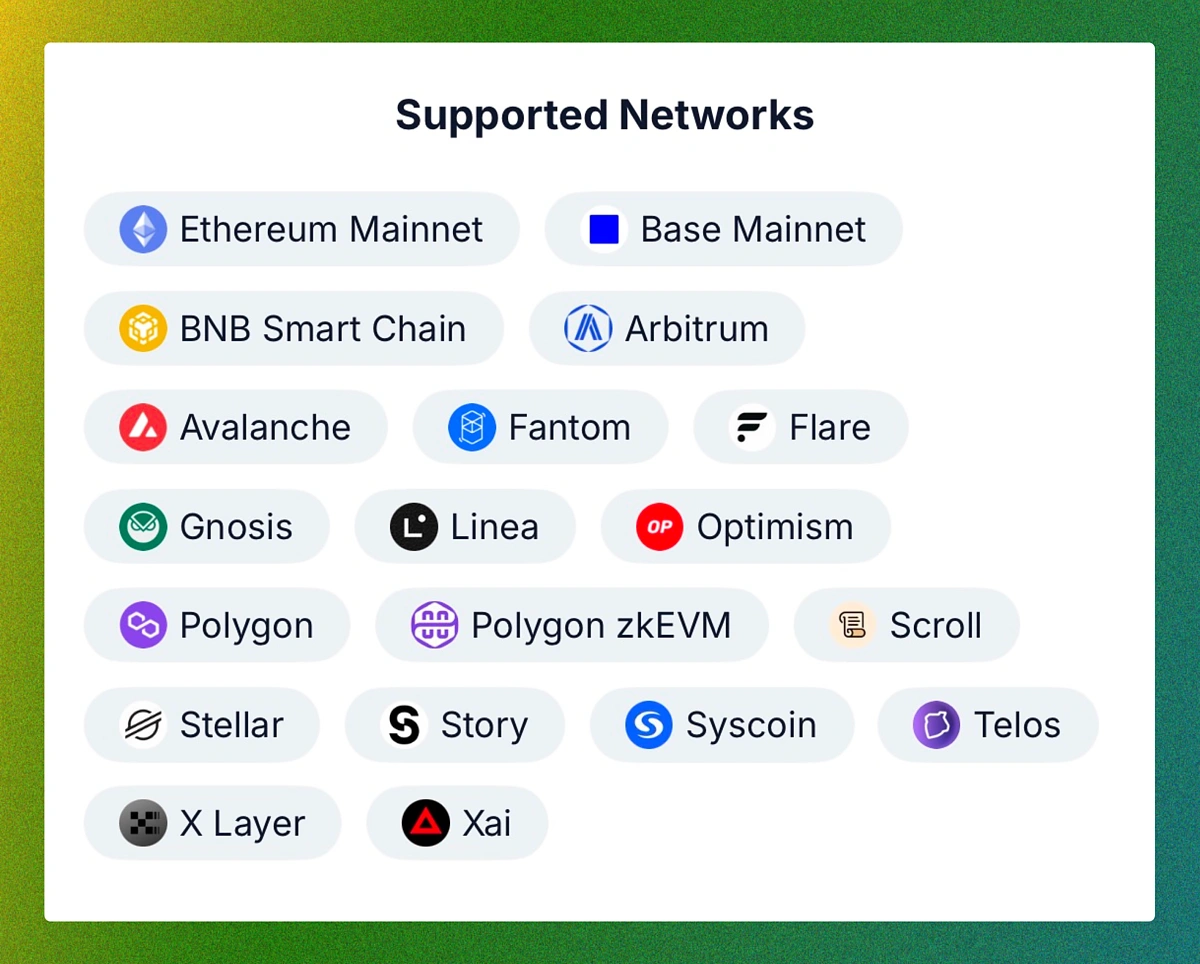
Support for 19+ major chains
CoinGecko Wallet Tracking supports 19+ major networks, including Ethereum mainnet, major L2s, and selected L1s.
More chains will be added over time. If there’s a network you’d like us to support next, we’d love your feedback.
Wallet limits
This feature comes with different wallet limits depending on your plan:
-
Free users: Track up to 2 wallets
-
Premium users: Track up to 100 wallets
Learn more about premium here.
Final Thoughts
Tracking multiple crypto wallets manually can get overwhelming, especially when assets are spread across trading, DeFi, and long-term wallets. CoinGecko Wallet Tracking makes it easier to stay on top of your portfolio by bringing everything into one dashboard.
With just a public wallet address, you can view holdings, portfolio value, and performance metrics like P&L and average buy price for supported tokens, without connecting your wallet or signing anything. Whether you are tracking your own wallets or monitoring whale and smart money addresses, Wallet Tracking gives you a simple way to follow on-chain portfolios in one place.
Wallet Tracking is now available on CoinGecko Web and Mobile App. Try it today to see your on-chain portfolio at a glance.