
Rider 2026.2 EAP 5 is now available, bringing a faster startup flow with the new non-modal Welcome screen and quality-check hooks for AI agents.
If you’re catching up on the 2026.2 EAP cycle, be sure to check out the blog posts we’ve already published about other updates unveiled so far, including WPF Hot Reload, the finding-tests skill for AI-assisted test generation, and the earlier EAP builds.
Quality-check hooks for Claude Code and Codex
Rider 2026.2 EAP 5 introduces bundled quality-check hooks for external AI agents, starting with Claude Code and Codex. In agent workflows, a hook is an automated step that runs at a specific point in the agent’s process. Here, Rider uses a PostToolUse hook: after an agent edits a file, Rider automatically runs IDE-level validation before the agent continues.
This means agent-generated code is no longer just accepted as-is. These checks can detect code issues identified by Rider’s built-in analysis and inspections, as well as formatting inconsistencies.
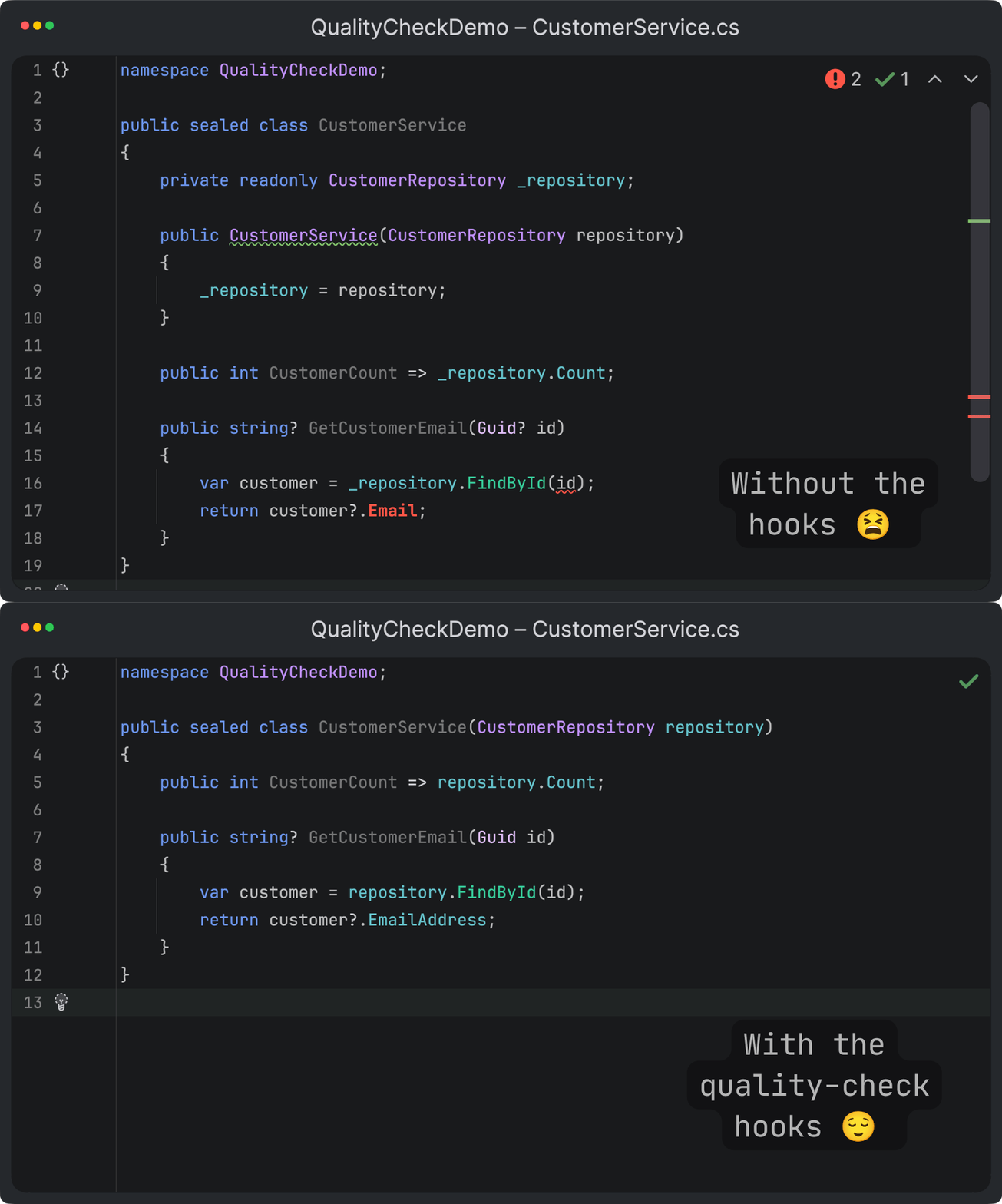
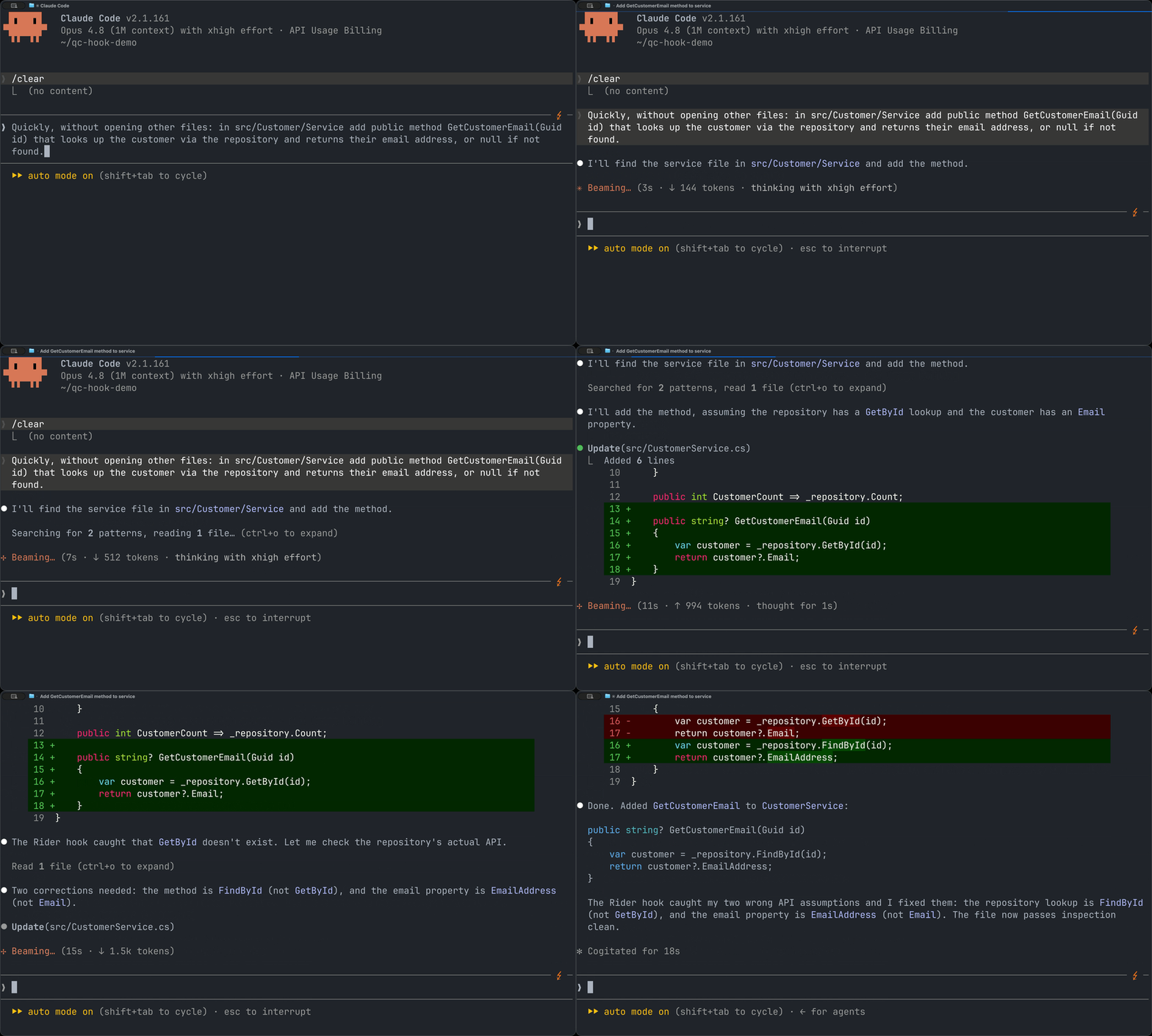
Errors can block the agent from treating the task as complete, while warnings and other findings are returned as feedback the agent can use to fix its own output. The result is a tighter AI-assisted development loop where the IDE, not the agent, sets the quality bar.
Easier access to Explain with AI
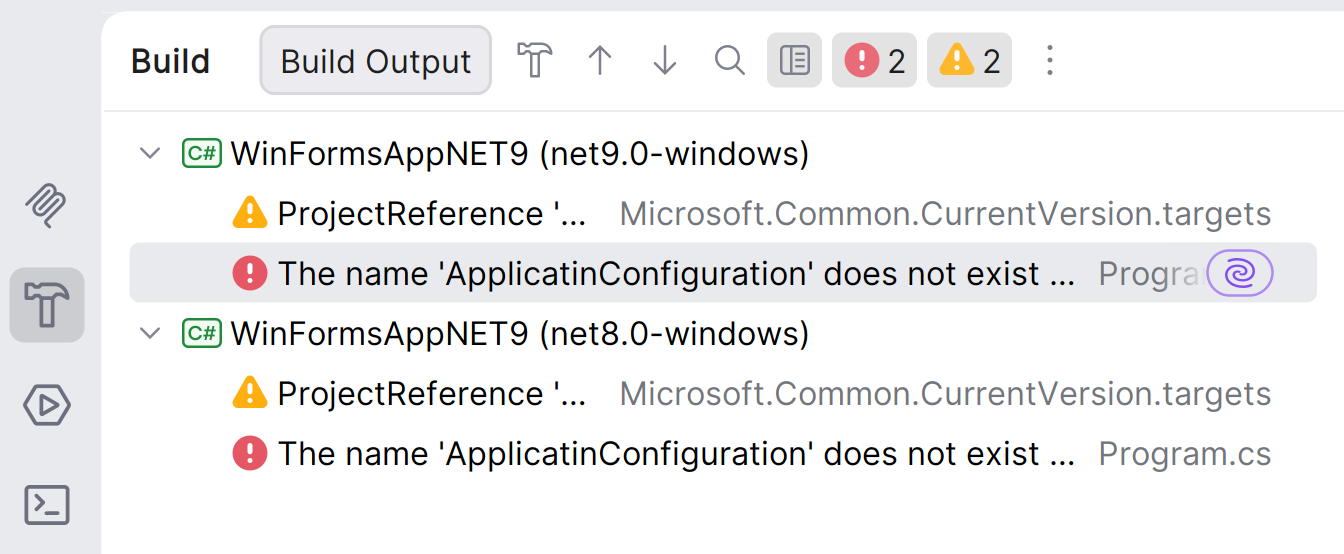
The Explain with AI action is now easier to discover when you need it most: while dealing with build errors and runtime exceptions. Instead of copying diagnostics into chat or manually describing what went wrong, you can trigger an AI explanation directly from the place where Rider surfaces the problem.
For .NET developers, this is especially useful because build output often combines Roslyn diagnostics, analyzer warnings, MSBuild issues, NuGet restore problems, and multi-targeting failures. Explain with AI helps turn noisy or context-dependent errors into a clearer explanation with likely causes and next steps, so you can move from failure to fix faster.
Share your thoughts
That’s it for Rider 2026.2 EAP 5. Download the latest EAP build, try the new features for AI-assisted development, and let us know how they work in your projects.